|
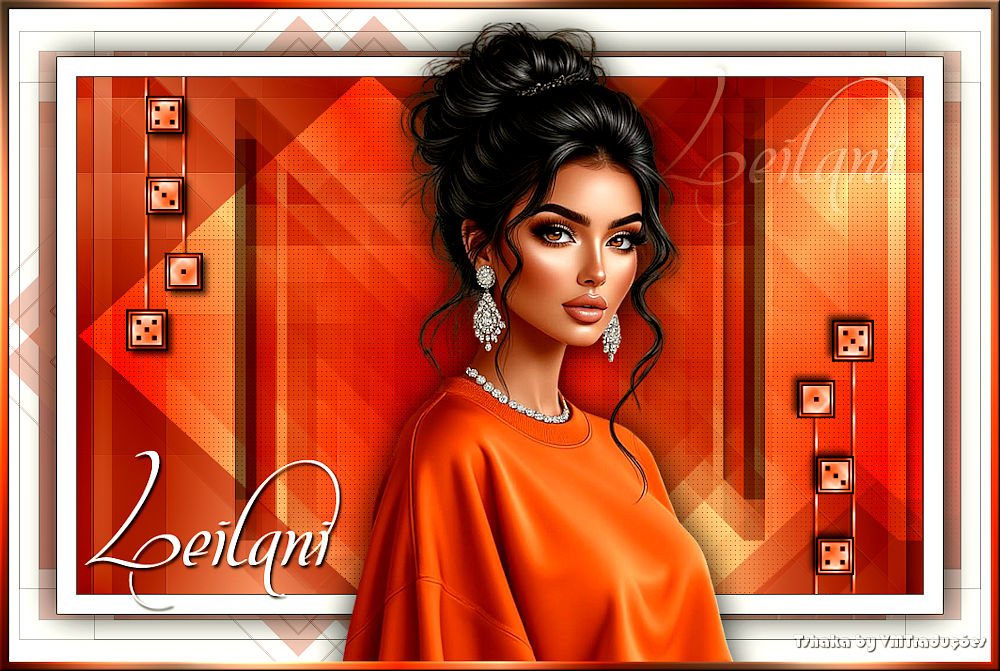

This tutorial is from Tshaka who I thank for
letting me translate their tutorials.

Original here

Tubes

Material

My images:
Here
Plugins
Mehdi - AAA Frames - Toadies -
VanDerLee - AP [ Lines] - Graphic Plus
You can find these plugins on the websites of:
Renée
Cloclo
You can also find this tutorial translated into these languages:
(Click on the flag)


|
Notes:
> Open the material / Duplicate (shift+d) / Close the originals
> Change the blend mode of the layers to match their colors.
> In older versions of PSP, Mirror Horizontal=Mirror / Mirror Vertical=Flip /
Pick tool=deformation
> Open the masks in psp and
minimize
>Adjust the size of the tubes according to your images
|
SCRIPT
Images:
1 female tube
*
Original colors
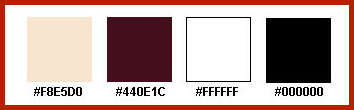
Open your material in PSP
Choose a light color for the foreground and a dark color for the
background
Prepare a Sunburst gradient
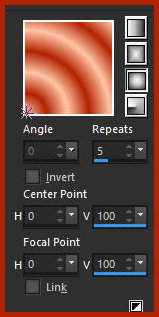
Open a new transparent image with 900x550px
Paint with the gradient
Effects / Reflection Effects / Rotating Mirror - default
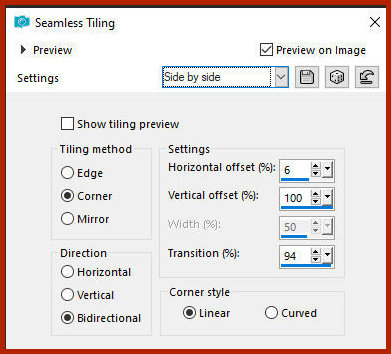
Effects / Image Effects / Seamless tiling - side by side
Layers / Duplicate
Image / Free Rotate right 45
Effects / Plugins / Mehdi / Sorting Tiles
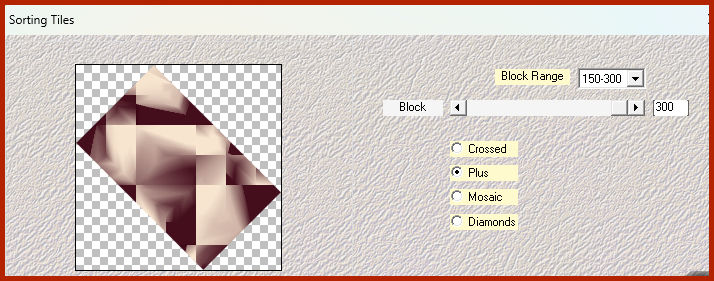
Effects / Image Effects / Seamless Tiling - side by side - same as
before
Effects / Edge Effects / Enhance
Effects / Plugins / AAA Frames - Foto Frame (the effect is not
visible at this stage)
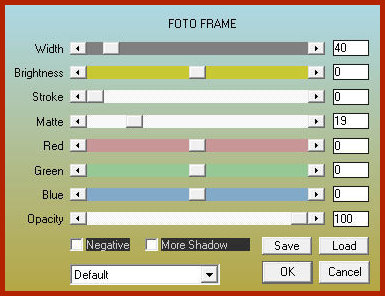
Effects / Plugins / toadies / What are you?[20 20]
Blend Mode: Multiply
Layers / Duplicate
Image / Resize: 55% - all layers unchecked
Drop shadow: 0 0 100 0,00 #ffffff - SHADOW ON NEW LAYER CHECKED
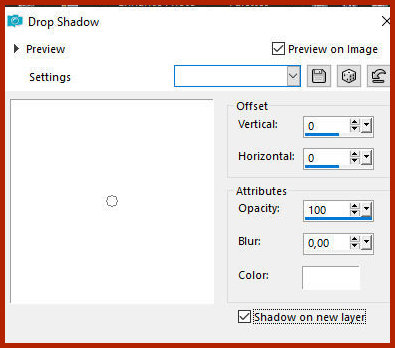
Effects / Image Effects / Offset [88/0]
Effects / Plugins / VanDerLee / Unplugged X / 45º Rectangle
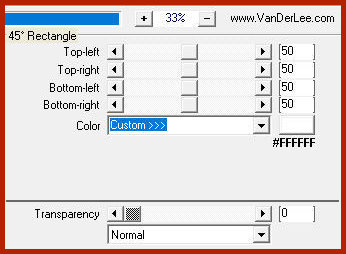
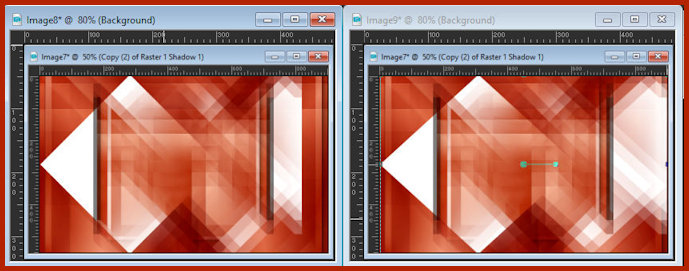
Activate the Pick Tool and drag the right side to the right edge as
shown in the screenshot.
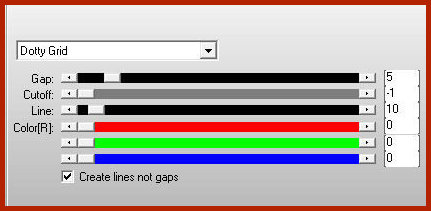
Effects / Plugins / AP [Lines] / Silverlining
Blend mode; Overlay
Copy the decorative tube [Wuerfel]
Paste as a new layer
Layers / Arrange / Bring to top
Position it at the top left as per the model
If you want, you can color the tube with one of your colors using
the Color Change tool
Layers / Duplicate
Image / Mirror / Mirror Horizontal
Image / Mirror / Mirror Vertical
Border:
1px / black
20px / white
1px / black
Selections / Select all
Border: 50px / white
Selections / Promote selection to layer
Select none
Hide the top layer (click the eye icon)
Activate the bottom layer
Add a new layer
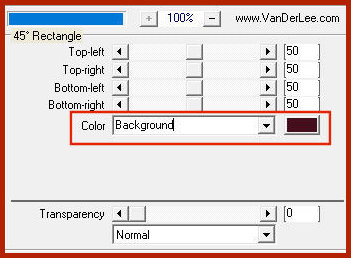
Effects / Plugins / VanDerLee / Unplugged-X / 45° Rectangle
Activate the magic wand and click the diamond icon
Selections / Modify / Contract: 1
Press Delete
Selections / Modify / Contract: 1px
Paint the selection with the color of background
Selections/Modify/Contract: 1
Press Delete
Selections/Modify/Contract: 20px
Color the selection with the background color
Select none
Merge down
Effects / Plugins / Toadies / What are you? [20 20]
Activate and open the top layer
Drop Shadow: 0 0 85 55,00 black
Copy the text [Text-leilani-tsha]
Paste as a new layer
Do not move
Copy your main tube
Paste as a new layer
Resize if necessary
Position as desired
Drop Shadow as before
Merge all
Selections / Select all
Border: 10px / white
Selections / Invert
Paint the selection with the gradient
Effects / Reflection Effects / Rotating Mirror - default
Effects / Plugins / Graphic Plus / Cross Shadow - default
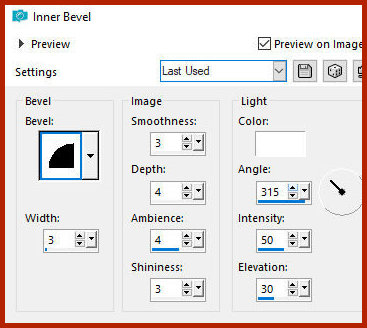
Effects / 3D Effects / Inner Bevel
Select none
Add the signatures
Merge all
Save as jpeg

|